TikTok Slideshow Ideas That Get Views
TikTok slideshow ideas people swipe through: twelve formats with example hooks, from numbered tips and myths to quote slides and would you rather.
Running out of TikTok slideshow ideas usually means running out of formats, not topics. Any niche, from studying to fitness to cooking, fits into a dozen proven shapes. Pick a format, drop your topic into it, and you have a post.
Below are twelve formats that keep people swiping, each with example hooks you can adapt. Every one of them works without filming anything, so you can make a post from a few images and a handful of short lines.
What makes a slideshow idea work
Before the list, look at what every format below has in common. Once you see the pattern, you can judge any new idea against it in a few seconds.
- A first slide that makes a promise. "3 study hacks", "The mistake everyone makes", "Would you rather". The viewer knows what they get by swiping.
- One idea per slide. Short enough to read in a second or two.
- A reason to reach the end. The best tip last, an answer revealed, or a question to answer in the comments.
If an idea has all three, it will work in almost any niche. If it is missing one, it usually needs a sharper hook or fewer words per slide, not a new topic.
Slideshow formats built on tips and methods
The first four formats teach something. They are the easiest to fill, because most niches already have more advice than anyone can post.
1. Numbered tips
The most reliable format on TikTok. A number in the hook tells viewers exactly how much they are signing up for.
"5 study habits that actually work" · "3 budgeting rules I wish I knew at 20" · "7 small changes that fixed my sleep"
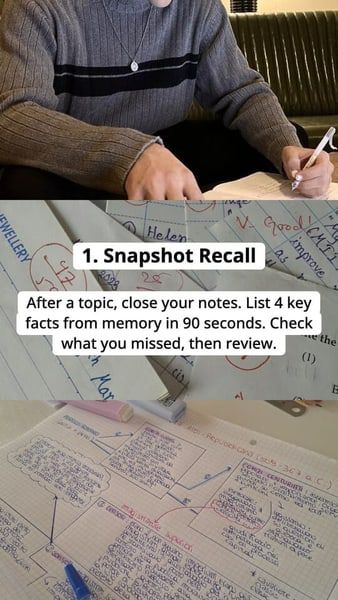
Number every slide ("1. Snapshot recall"), and save the strongest tip for last so people swipe to the end. Keep the title of each tip to a few words and put the explanation in one short line underneath, so the slide reads at a glance.
2. The single big hack
One surprising tip, stretched over a few slides: the problem, the hack, how to do it, the result. The hook carries most of the weight here, because it promises one thing and the rest of the post has to deliver it.
"The study hack that flips your grades overnight" · "The one setting that doubled my phone battery"
3. Methods and step-by-step
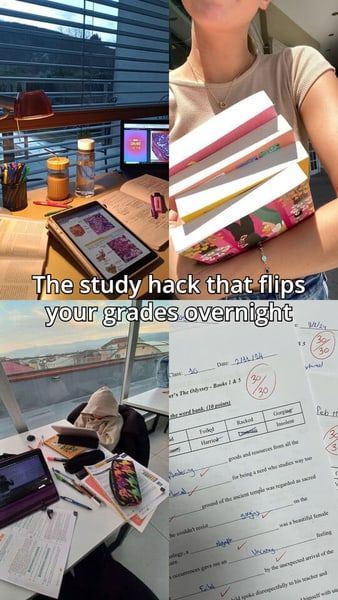
A process broken into steps, one per slide. Works for anything with a sequence: a routine, a recipe, a workflow. Make each step clear enough to follow on its own, so the post still works when someone comes back to it later.
"3 methods to boost your memory and finish studying faster" · "My 4-step morning routine"
4. "I wish someone told me"
Regret-led hooks pull people in because they promise to save the viewer from a mistake. The slides that follow work best as concrete lessons, each one tied to the mistake it would have prevented.
"I wish someone told me this before I wasted hours re-reading my notes" · "What I wish I knew before my first job"
Formats that challenge what viewers believe
These two formats work by showing a gap: between what people think and what is true, or between how things were and how they are now.
5. Myths vs facts
Each slide states a common belief, then corrects it. Viewers swipe to see if they were wrong. Put the myth in large text and the correction underneath, so the slide reads as a small reveal.
"5 fitness myths you still believe" · "Things about coffee that are not true"
6. Before and after
Two or more slides showing a change: a room, a schedule, a habit tracker, grades. The hook teases the result, and the last slide shows it.
"My notes before and after I changed one thing" · "What 30 days of journaling did"
Slideshow ideas that ask for an answer
The next three formats turn the viewer into a participant. They are quick to make, and the question on each slide gives people something to say in the comments.
7. Yes or no
A slide per question the viewer answers in their head, or in the comments. Easy to make, high on comments.
"Answer honestly: are you a good student?" · "Yes or no: would you survive a week without your phone?"
8. Would you rather
Two options per slide. People stop to choose, and many say their pick in the comments.
"Would you rather: study at night or at 6am?" · "Would you rather: a 4-day week or remote forever?"
9. Quiz and study questions
Question on one slide, answer on the next. Viewers swipe to check themselves, which means every slide gets a swipe.
"Can you answer these 5 history questions?" · "Only 1 in 10 people get question 4 right"
Formats for facts, quotes and motivation
The last three formats are lighter to read and easy to batch. Once you have a look you like, a new post is mostly a new list of lines.
10. Facts
Surprising facts on a theme, one per slide. Works best when the facts are specific and checkable, so pick ones you can back up if someone asks in the comments.
"Facts about the brain that sound fake" · "6 things you did not know about your phone"
11. Quote slides
A quote per slide over a strong background image. People save them to come back to, and a save tells TikTok the post was worth keeping.
"Quotes to read before an exam" · "5 lines that changed how I think about money"
Keep the quote short enough to read in one look, and use the same font and placement on every slide.
12. Tough-love motivation
Blunt, direct lines instead of soft encouragement. Polarising by design, which drives comments.
"Nobody is coming to save your grades" · "You are not tired, you are bored"
How to turn one idea into a week of posts
A format plus a niche gives you one post. A format plus a niche plus five angles gives you a week. Here is what that looks like for a study niche:
| Day | Hook | Format |
|---|---|---|
| Monday | "5 study habits that work" | Numbered tips |
| Tuesday | "The study hack nobody talks about" | Single big hack |
| Wednesday | "Study myths you still believe" | Myths vs facts |
| Thursday | "Would you rather: library or home?" | Would you rather |
| Friday | "Quotes to read before an exam" | Quote slides |
Same niche, five formats, and you learn which shape your audience swipes most. After a week or two, the formats that work for your audience get more slots and the ones that do not get dropped.
Make the slides
Each format above is a template: the same structure with a new topic. If you are making slideshows by hand, the steps are in how to make a TikTok slideshow, and the dimensions in TikTok slideshow size and specs. If the slideshows are for promoting an app, read TikTok slideshow marketing for apps.
If you would rather hand the work to an AI agent, Viral Slide Post connects to it through a REST API, an MCP server or open source skills. The agent writes the slideshow, makes the images and publishes it to TikTok and Instagram on schedule, and a dashboard does the same without an agent. Viral Slide Post is on the waitlist for now.
Pick a format, then a topic
Slideshow ideas rarely fail because the topic is weak. They fail because the first slide promises nothing, a slide carries too many words, or there is no reason to reach the last one.
Start from a format, not a blank page. Numbered tips, single hacks and step-by-step methods teach. Myths and before-and-after posts reveal a gap. Yes or no, would you rather and quizzes invite an answer. Facts, quotes and tough love are quick to batch. Rotate a few of them through the same niche for a week, and let the numbers tell you which shape to make more of.