UGC Ads: What They Are and How Apps Use Them
UGC ads are paid ads built from creator-style footage. How they run on TikTok and Instagram, what they cost, and the rules an app has to follow.
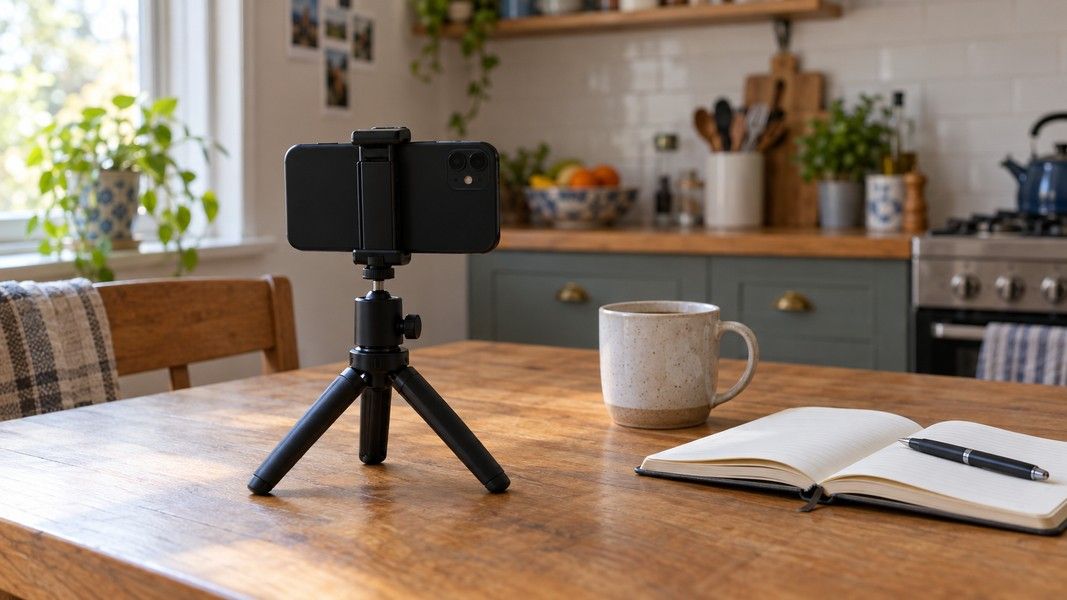
You scroll past a video of someone at their kitchen table saying "okay, I didn't expect this app to fix my mornings", and two seconds later you notice the Sponsored tag. That is a UGC ad. UGC ads are paid ads made from footage that looks and sounds like a regular person filmed it on a phone: a creator or a customer talking to the camera, showing the product in use, in their own words. They run through TikTok Ads Manager or Meta Ads Manager like any other ad, either from the brand's account or from the creator's own handle.
For an app, UGC ads are often the first paid format worth testing, because a screen recording with a person's reaction explains an app faster than a polished trailer. This guide covers what counts as a UGC ad, how each platform runs one, what the creator side costs, the disclosure and AI rules, and how to build your first test.
What UGC ads are, and what makes an ad UGC-style
UGC stands for user-generated content: anything made by people rather than by the brand. If you want the full background, start with what UGC is and who makes it. A UGC ad takes that kind of content and puts paid distribution behind it.
In practice, the footage in UGC ads comes from three places:
- Organic customer posts. Someone loved your app, posted about it, and agreed to let you run it as an ad.
- Commissioned UGC. You pay a UGC creator to film a video from your brief. The creator does not need a big following, because the brand runs the video, not the creator's audience.
- UGC-style ads made in-house. Your own team films in the same handheld, first-person style. It looks like UGC but nobody outside the company made it.
The second kind is what most people mean by "UGC ads" today. The ugc ads meaning that matters for your budget is simple: you are paying for a format that feels native to the feed, not for a creator's reach.
How UGC ads run on TikTok and Instagram
Both platforms let you run a UGC ad from your own ad account, with the video uploaded as a normal creative. The more native option is to run it from the creator's handle, so the ad shows their name and photo instead of your logo. Each platform has its own name and permission flow for that.
TikTok Spark Ads
TikTok calls the format Spark Ads. It turns an organic post into an ad, from your own account or from a creator's with their authorization, and every like, comment, share and follow the ad earns is credited to the original post. App promotion is one of the supported objectives.
The creator gives you access per post. In the TikTok app they open the video's three-dot menu, go to Ad settings, turn on Ad authorization, generate a code and pick a duration of 7, 30, 60 or 365 days. You paste that code into Ads Manager. Two details catch people out: a private video becomes public once it is used in a campaign, and the ad's display name and caption come from the original post, so you cannot edit them in Ads Manager.
Meta partnership ads
On Instagram and Facebook the equivalent is partnership ads, the format Meta used to call branded content ads. Meta's help page on partnership ad permissions describes two levels. Content-level permission covers one post, story or reel, usually through a partnership ad code the creator shares. Account-level permission lets you create ads from the creator's handle without existing content, which suits an ongoing deal. Creators can revoke either at any time, and one ad code can be used by up to two advertisers at once.
| TikTok | Instagram and Facebook | |
|---|---|---|
| Format name | Spark Ads | Partnership ads |
| How access is given | A video code per post, 7 to 365 days | A partnership ad code per post, or account-level permission |
| Whose name shows | The creator's account | The creator's handle, with yours in the label |
| Where engagement lands | On the creator's original post | Insights are shared with the advertiser |
The anatomy of a UGC ad for an app
A good UGC ad looks unscripted and is not. Most short app ads follow the same five beats, and briefing a creator by beat, rather than by line, keeps the result natural.
| Beat | Rough timing | What happens on screen |
|---|---|---|
| Hook | First 2 to 3 seconds | A line or moment that names the viewer's problem, not the app |
| Problem | Next few seconds | The creator shows the annoying situation in their own words |
| The app doing the job | The middle | A screen recording or the phone held up, one task done start to finish |
| Proof | Near the end | The result, a before and after, or one honest downside |
| Call to action | Last few seconds | What to do next, said once |
The middle beat is where app ads usually fail. Show one task completed inside the app, not a tour of five features. A viewer who sees a single job done in ten seconds understands the app; a viewer who sees a menu tour remembers nothing.
Hooks that suit apps
The hook carries most of the ad. For apps, the ones that tend to hold attention name a moment the viewer recognises: "I was doing this by hand every Sunday", "my screen time report made me delete four apps", "this is how I stopped forgetting to invoice". A hook about the app itself ("introducing...") is the one to avoid, because it reads as an ad before the viewer has a reason to care.
Ask for three to five hook variations on the same body. Swapping only the first three seconds is the cheapest way to learn what your audience responds to, because the rest of the video stays constant.
What a UGC ad costs
Two separate things cost money: the creator's fee for filming, and the ad spend that distributes the result. The ad spend is yours to set. The creator fee has public reference points.
Collabstr's 2026 marketplace report, built on more than 21,000 collaborations on its platform, puts the average UGC asking price at $180 per engagement and the average paid price at $154. The same report says UGC grew from 15% to 35% of all campaigns on its marketplace in 2025, which tells you how many brands now buy content this way.
Those averages cover filming. The right to run the footage as a paid ad is a separate term, and a contract that only says "content" leaves it open. Settle three things before any money moves: whether paid usage is included, for how long, and on which platforms. On TikTok, the length of the Spark Ads code is part of that answer, because an ad that starts working in week three dies when a 30-day code expires.
When the numbers make sense for an app
For a small app, the useful question is not what one video costs but what one usable test costs. A single video with one hook teaches you almost nothing. Three creators with three hooks each gives you nine variations to compare on the same budget line, and the winners tell you which problem statement to build the next batch around.
The rules: disclosure and AI labels
Paid creator content carries legal and platform rules that organic posts often skip.
In the US, the FTC treats a paid creator's review as an endorsement. Its Endorsement Guides FAQ says endorsements must reflect the creator's truthful experiences, so a script that makes a creator claim results they never had is a problem even if the words are yours. The same page says a disclosure tucked into a TikTok caption is very unlikely to be clear and conspicuous; put it on screen in large text, and say it aloud if the endorsement is spoken.
TikTok adds its own layer for AI. Its advertising policy on misleading and false content allows significantly AI-edited or AI-generated content only when it carries the AIGC label or a clear disclaimer of your own, and says undisclosed AI content will be rejected or restricted. That covers fully AI-generated video and AI voices that make someone say something they never said. Minor edits such as lighting or background removal do not count.
UGC-style ads built from slides and short clips
Not every app needs a person on camera for every ad. A TikTok photo carousel written in a first-person voice ("5 things I wish I knew before tracking my spending") reads as UGC, costs far less to make, and can be tested organically before a cent goes into ads. TikTok's help page for carousel ads lists Spark Ads among the supported formats for its standard carousel, so image posts are not shut out of paid distribution. The carousel format itself is covered in our guide to how carousel ads work.
Making the slides at volume
This is where a tool helps. With Viral Slide Post, an AI agent connects through the REST API, writes the slide text itself, and the platform renders the slides and sends the post to your TikTok account as a draft in the inbox, so a person checks it before it goes public. Viral Slide Post is in waitlist stage. Today its dashboard and REST API make slides and AI video clips and send them to TikTok; the MCP server, open source skills, Instagram publishing and scheduled posting are coming.
Short clips and the AI label
For video, the dashboard's Video mode makes Hook Video and CTA Video clips of 4, 6 or 8 seconds from a prompt or a reference image, with timed text overlays, exported as MP4 without audio. That makes them a fit for the opening and closing beats, with a real person's voice and footage carrying the middle.
Mind the AI label here. The dashboard switches the AI-generated content label on by default for a direct post, but a photo draft carries no label until you add it in TikTok, and through the API the label is off unless the request sets it. If the images are AI-generated, add the label before the post goes live and before you spark it.
The honest limit: slides and AI clips do not replace a creator. A real person saying "this saved me an hour" is a different kind of proof, and for many apps it is the one that converts. Slides are the cheap way to find which message works; the creator video is how you scale the message that won.
How to run your first UGC ad test
Start small and treat the first round as research, not a campaign.
- Pick one problem. Choose the single situation your app fixes best and write it as the viewer would say it.
- Make variations cheaply first. Post three to five organic slideshows or short videos with different hooks on that problem and watch which ones hold viewers and earn saves.
- Brief creators on the winner. Give two or three UGC creators the winning problem and hook direction, the five beats, and the usage terms in writing, including paid usage and the Spark Ads or partnership code length.
- Run them as Spark Ads or partnership ads. Use the creator's handle, add the disclosure on screen, and label any AI content.
- Keep what works, retire what doesn't. Cut variations that lose, ask for new hooks on the bodies that win, and extend the codes on the ads you keep.
The step most teams skip is the second one. Testing the message organically before paying a creator means the creator fee goes to a hook you already know works.
The short version
UGC ads are paid ads that use creator-style, phone-shot footage, run either from your account or from the creator's handle through TikTok Spark Ads or Meta partnership ads. Creators on one large marketplace averaged $154 paid per UGC engagement in its 2026 report, but the fee for filming and the right to run the footage as an ad are separate terms to agree up front.
For an app, the structure that works is one problem, one task shown inside the app, and a hook about the viewer rather than the product. Disclose paid partnerships on screen, label AI-generated content, and use cheap organic slideshows to find the message before you pay to scale it.