What Is UGC? Meaning, Creators and Examples for Apps
What is UGC? The meaning of user-generated content, how UGC creators differ from influencers, and the UGC formats apps use on TikTok.
UGC stands for user-generated content: photos, videos, reviews and posts made by people rather than by the brand they talk about. In app marketing the term now covers two things, a real user posting about your app on their own, and a creator you pay to film a video that looks like that post.
That second meaning is why the question "what is UGC" gets asked so often. You open TikTok, see a person walking through a budgeting app in their kitchen, and you cannot tell whether they found it themselves or were paid to show it. For a founder deciding where the next few weeks of marketing go, that difference matters more than the label.
This guide covers what UGC means today, what a UGC creator actually does, how the content moves from a creator's phone into your ads, the formats apps use most, and the rules that come with paying for any of it.
What UGC means today: two kinds of content under one name
The original meaning is simple. Someone downloads your app, likes it, and posts about it with no deal in place. A review in the App Store, a TikTok of their study routine with your app on screen, a Reddit comment recommending it. Nobody asked for it, and nobody paid for it.
The marketing meaning grew out of that. Brands noticed that this kind of content outperformed their polished ads, so they started commissioning it. The agency DAC draws the line clearly in its paid social breakdown: influencer content is posted on the influencer's own channel, while UGC is the same style of content that the creator does not post at all and instead delivers to the brand.
So when a marketer says "we are buying UGC", they usually mean raw videos made by paid creators, delivered as files, and published on the brand's account or run as ads. When a researcher says UGC, they usually mean the organic kind. Many arguments about whether UGC "works" come from mixing the two.
What is a UGC creator?
A UGC creator is a person who makes content for brands in the style of an ordinary user, without needing an audience of their own. They are hired for their ability to film, talk naturally and show a product, not for their follower count.
That is the main difference from an influencer. An influencer sells access to people who already watch them. A UGC creator sells the video itself. Many UGC creators have small accounts, and some post nothing publicly beyond a portfolio, which is why "UGC portfolio" is one of the most searched phrases around the topic.
| Organic UGC | Paid UGC creator | Influencer post | |
|---|---|---|---|
| Who makes it | A real user | A hired creator | A creator with an audience |
| Where it appears | Their own account | Your account or your ads | Their own account |
| Who is paid | Nobody | The creator, per video | The creator, for reach |
| What you control | Almost nothing | Script, brief, edits | Some talking points |
For an app, the middle column is the one you can plan around. You cannot schedule organic UGC, and you can rarely afford an influencer with a large audience early on. A paid UGC creator sits in between: you choose the angle, they make it believable.
What is a UGC video, and how does it reach your ads?
A UGC video is usually short, vertical and shot on a phone. It looks like something a person would post, not like an ad: natural light, a real room, a voice talking straight to the camera or over a screen recording.
What happens after filming depends on where it will run. There are three common routes.
- Raw files to the brand. The creator sends the video, you post it on your own TikTok or Instagram account or upload it as an ad.
- Creator posts, brand boosts. The creator posts on their own account and authorizes you to promote that post as an ad.
- Brand partner tag. The creator tags your brand when posting, which hands you access to the post for ads without a separate request.
The second route is what TikTok calls Spark Ads. According to TikTok's Spark Ads documentation, the format runs ads from organic posts, your own or other creators' posts with their authorization, and the views, likes and follows the ad earns stay on the original post. A creator generates an authorization code from the post's ad settings and sends it to you.
Spark Ads, partner tags and how long you can use a post
The third route, the brand partner tag, shortens that. When a creator tags a brand partner in the content disclosure settings, TikTok gives the brand Spark Ads access to that post for 60 days by default. TikTok's Branded Buzz program goes further for campaigns run inside it, with authorization for up to 180 days on any creator video from the campaign.
Ask which route a creator expects before you agree on anything, because it decides who owns the post, where the engagement lands and how long you can use it.
UGC examples for apps, format by format
Apps have an advantage here and a problem. The advantage is that the product lives on a screen, so it is easy to show. The problem is that a screen recording alone is boring, and the person in front of it is what makes a viewer stay.
These are the formats you see most often in app UGC, and what each one is for.
| Format | What it shows | Works best for |
|---|---|---|
| Screen demo with voiceover | One feature, start to finish | Tools with a clear "watch this" moment |
| Talking head review | A person explaining why they use it | Apps where trust matters, like money or health |
| Problem, then fix | A relatable frustration, then the app | Productivity and habit apps |
| Day in my life | The app inside a routine | Study, fitness and planning apps |
| Before and after | A result side by side | Photo, design and editing apps |
What is tech UGC, and how to brief it
Tech UGC, the label for creators who specialize in software and apps, is mostly the first two rows. The guide to tech UGC from Launchpoint describes the job as opening an app, demoing a feature and explaining a use case in under 60 seconds. That is a different skill from unboxing a skincare product, which is why a creator with a strong beauty portfolio may struggle with your app.
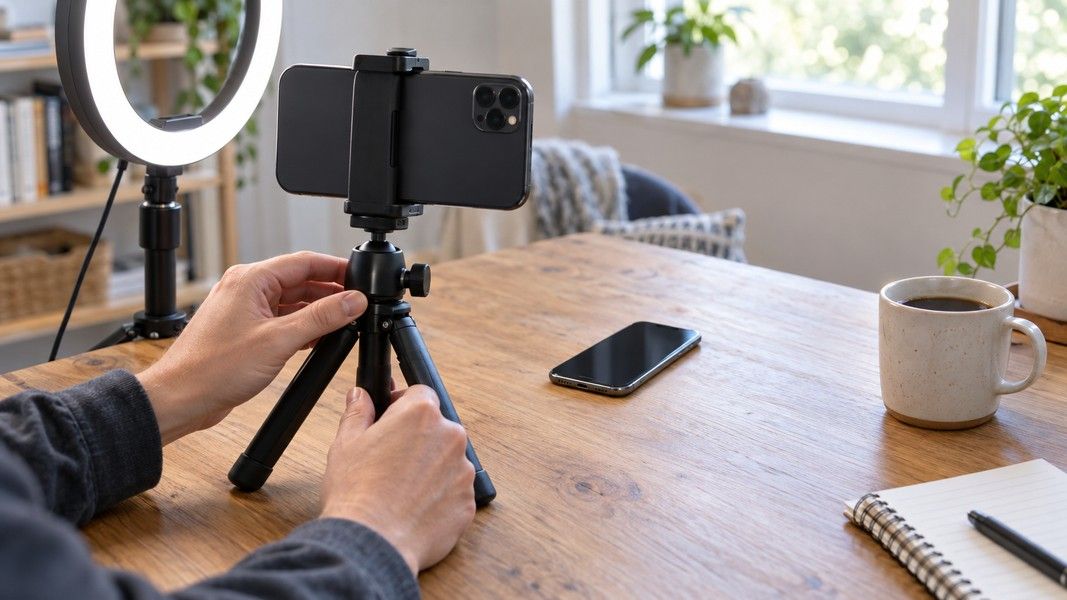
A good brief for any of these names one feature, one viewer and one moment. "Show how fast you can log a workout" gives a creator something to perform. "Talk about our fitness app" gives them nothing, and you get back a video that could be about any app.
Why apps use UGC: the trust argument and its limit
The case for UGC rests on trust. Nielsen's 2012 Global Trust in Advertising survey, covering more than 28,000 internet users in 56 countries, found that 92 percent trusted earned media such as recommendations from friends and family above every other form of advertising, and that 70 percent trusted online consumer reviews. That Nielsen trust survey is still the figure most UGC guides quote.
Read it carefully. The 92 percent is about recommendations from people the respondent knows. It is not a measure of paid creator videos, and many articles quote it as if it were.
Paid UGC borrows the look of a real recommendation, not its motive. The IAB's 2019 buyer's guide to UGC makes the point directly: organic UGC gives unique insight into consumers precisely because it is made without commercial motive. A paid video can still work well as an ad, since the format feels native to the feed and a person explains the app better than a logo does. It just does not carry the same weight as a friend's advice.
There is also evidence that UGC does not win everywhere. A 2025 study of the Saudi telecom sector, published in Cogent Business and Management, found that firm-generated content influenced the purchase process more than UGC for those products. For an app, the honest takeaway is that UGC is one channel to test against your own content, not a guaranteed upgrade.
Disclosure rules when you pay for UGC
The moment money or a free product changes hands, the content is advertising, and the rules follow.
In the US, the FTC's influencer disclosure guide says a creator must disclose any financial, employment, personal or family relationship with a brand, and that a free product counts. The guidance applies whenever it is reasonably foreseeable that a post will affect US consumers.
On TikTok, the Branded Content Policy requires creators to switch on the commercial content disclosure toggle when a post promotes a third party in exchange for payment or any other incentive. The post is then labelled automatically. TikTok also states that a Paid partnership label does not change how the post is recommended, based on an internal comparison of nearly 2 million videos with and without the disclosure.
When the content is posted from your own account, the disclosure is simpler, because it is clearly your brand speaking. TikTok's toggle has a "Your brand" option for that case.
AI-made content carries its own label. If you post slides or clips generated with AI, TikTok's AI-generated content label exists for exactly that, and turning it on is the honest default.
Where slideshows and faceless content fit beside UGC
Not every app can afford a stream of creator videos, and not every app needs one. Faceless content, slideshows and carousels made by the brand itself, is the other route many small teams take. It is not UGC, since you make it, but it often shares the same goal: content that feels like the feed rather than like an ad.
The two work well together. A creator video brings a face and a voice; a slideshow repeats the same idea in a format you can produce without booking anyone. Neither replaces the other.
If you go the slideshow route with an AI agent, Viral Slide Post is one way to handle the production step. Your agent writes the text for each slide, Viral Slide Post renders the slides through its REST API, and the post goes to TikTok either as a draft in the TikTok inbox for a person to finish or as a direct post. The dashboard switches the AI-generated content label on by default for a direct post, which matters if you are already careful about disclosure for your UGC.
Viral Slide Post is in waitlist stage. Today its dashboard and REST API make slides and AI video clips and send them to TikTok; the MCP server, open source skills, Instagram publishing and scheduled posting are coming.
For the trade-offs between creator videos and AI-made ones, see our comparison of AI UGC and human UGC.
Getting started with UGC for an app
You do not need a large budget to learn whether UGC works for your app. You need a narrow test.
Start with one feature and one audience. Write a brief that names the moment you want shown, the viewer it is for and the first line of the video. Then decide the route before you hire anyone: raw files you post yourself, or a creator post you boost with Spark Ads. That choice sets the cost, the usage period and who keeps the engagement.
Next, agree on rights in writing. How long you can use the video, on which platforms, and whether you can cut it into new versions are the three questions that cause most disputes later. Ask for the disclosure toggle on any post the creator publishes, and keep the brief in your files so you can show what was agreed.
Finally, judge the result against your own content, not against nothing. Post the UGC video and a brand-made version of the same idea in the same week, and compare how they hold attention. The full process, from brief to review, is in our guide to running a UGC campaign.
Key takeaways
UGC means content made by people rather than by the brand. In app marketing it covers both organic posts from real users and paid videos from UGC creators, and the two behave differently.
A UGC creator sells the video, not an audience, which is what separates them from an influencer. The content reaches your ads as raw files, as a boosted creator post through Spark Ads, or through a brand partner tag, and each route changes who owns the engagement and for how long.
The trust figures behind UGC describe real recommendations, not paid ones, and at least one study found brand content more persuasive for some products. Paid UGC still earns its place as a native-looking ad format, as long as it is disclosed. Test it against your own content, and keep both in the mix.